Elastik helps schools find learning gaps in their assessment data, and its Writemark tool uses AI to mark student writing. I've worked with the team on the teacher's side of the product: how an AI mark is shown, checked and corrected, and how a class's results read at a glance.
elastik.com ↗- Client
- Elastik
- Education platform, Perth and London
- My role
- Product designer
- AI product design, UX and UI
- Scope
- Web app
- Writemark, marks book and dashboard
- In use
- 20,000+ teachers
- And 300,000+ students on Writemark, per Elastik
The problem

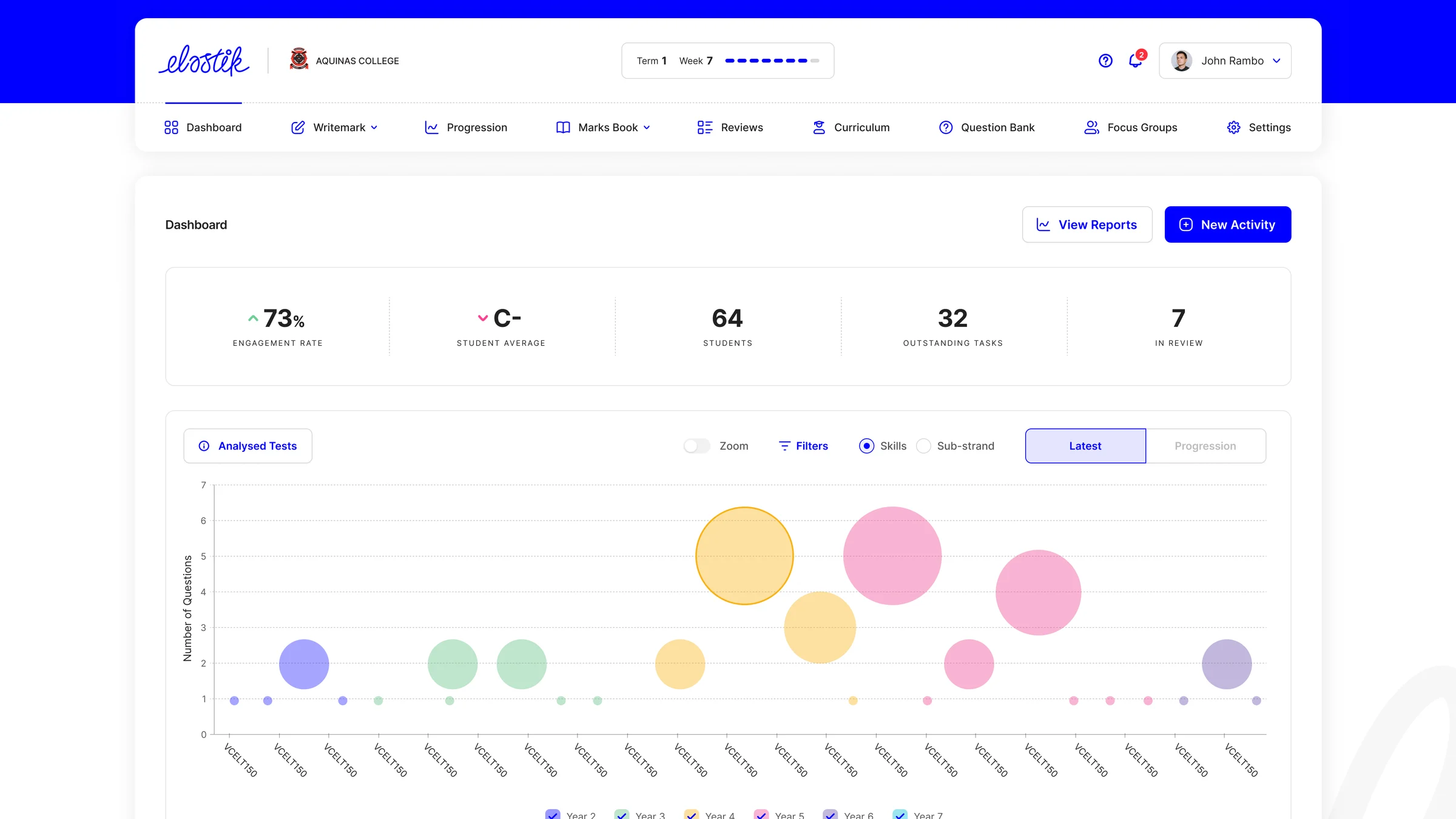
Marking writing is one of the slowest jobs in teaching. A class set of thirty stories is hours of reading, and the feedback reaches the student days later.
Schools also hold years of assessment results, from national tests to their own, that nobody has time to line up against the curriculum.
Elastik does both jobs. It analyses a school's assessment data to find learning gaps, and Writemark marks writing with AI against a ten-part rubric, typed or handwritten. A teacher has to trust a mark before handing it to a child, so the design work was making the AI's output easy to check and quick to correct.
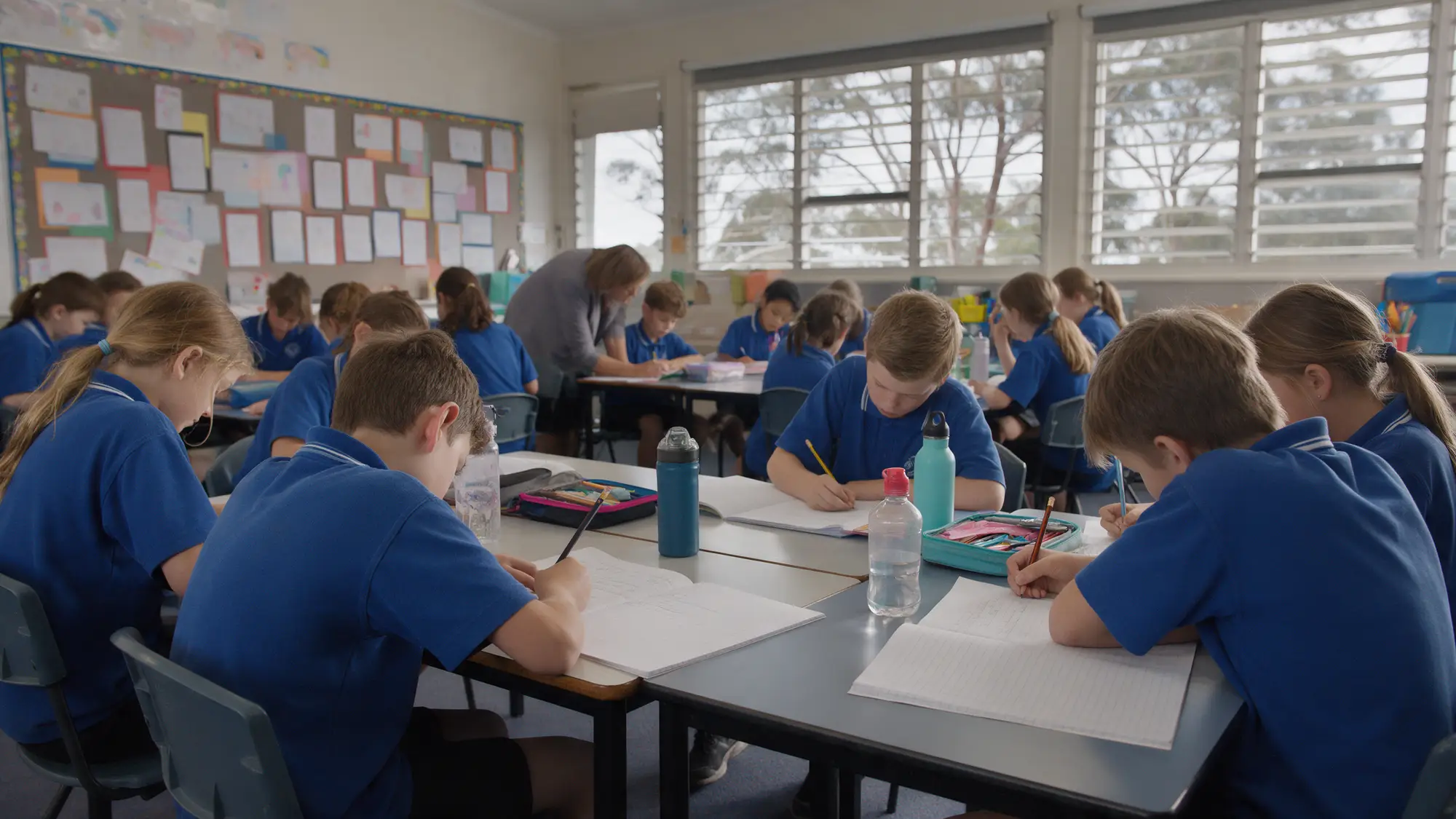
An AI mark is a draft until a teacher approves it.
What I designed
- 01
Writemark
AI marking for writingMarks and feedback for each student, and the whole class on one rubric.
- 02
Marks book
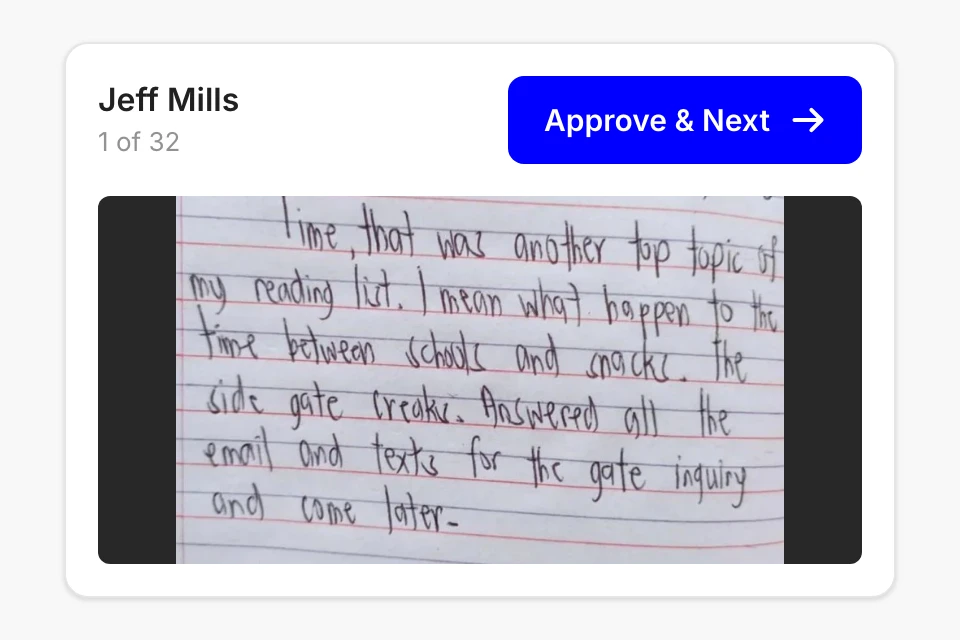
Every result in one gridAll of a class's tests side by side, with the highs and lows picked out.
- 03
Dashboard
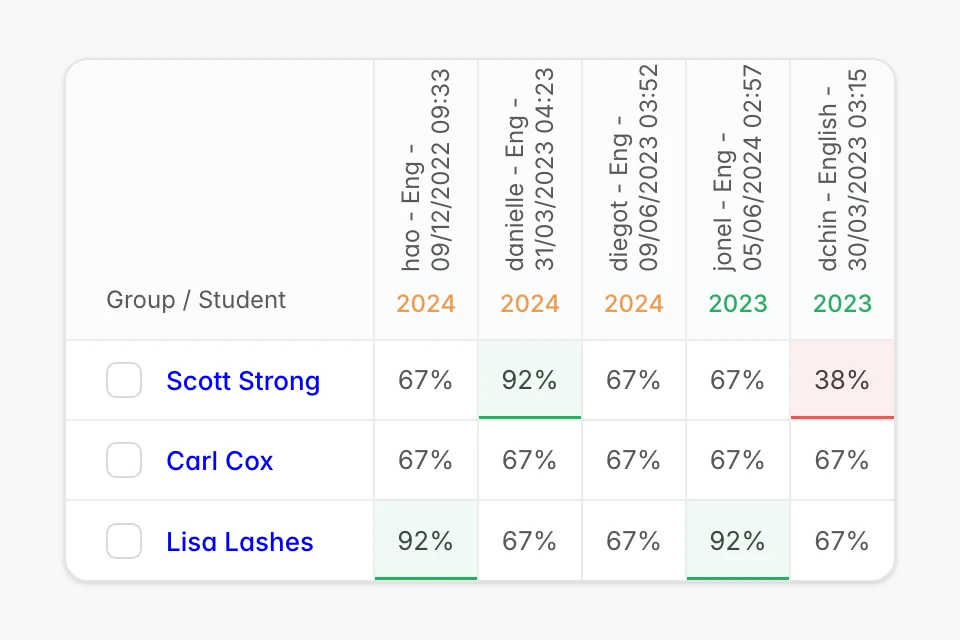
Where the day startsFive numbers, the tests just analysed, and the actions waiting.
The decisions that mattered
The teacher approves every mark
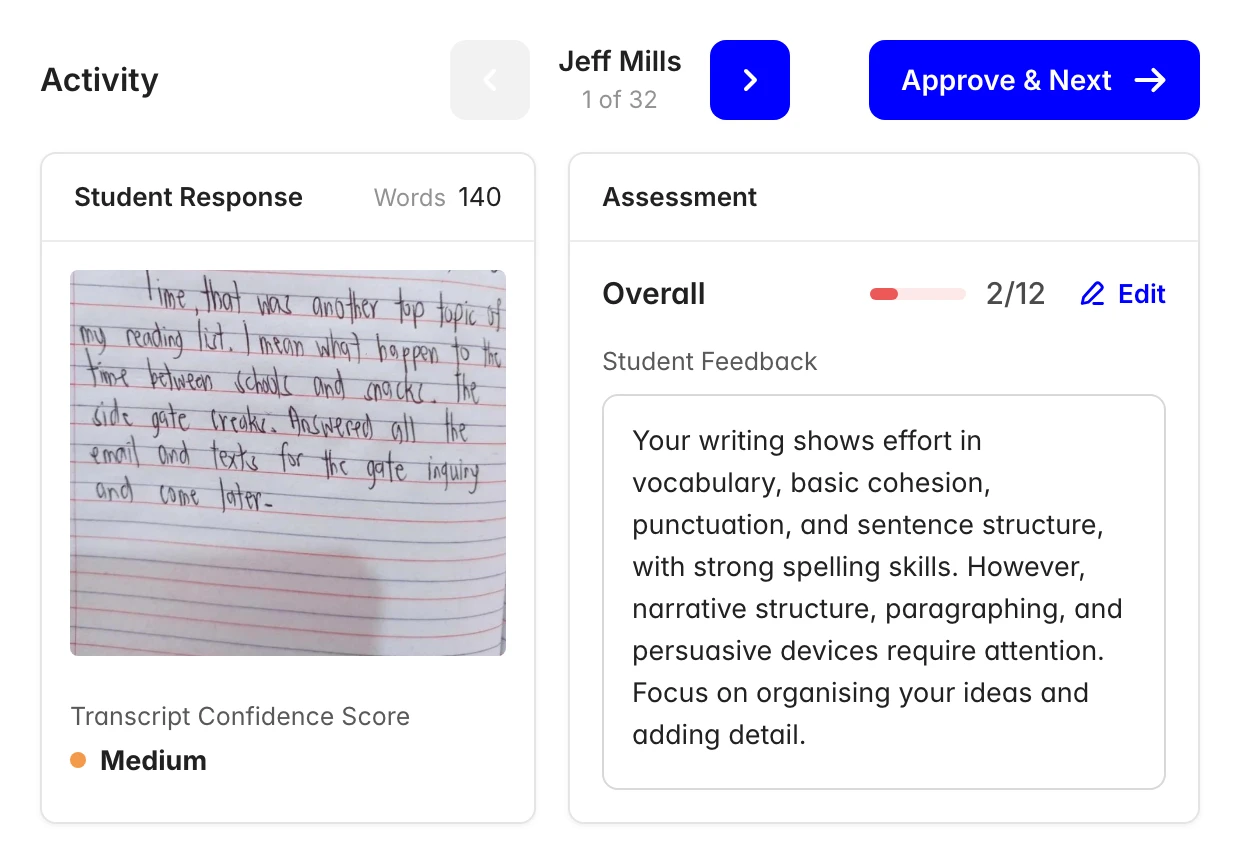
Writemark proposes a score and written feedback for each response. The teacher reads them beside the student's work, edits anything that is off, and presses Approve and Next to move to the next student. Nothing reaches a student until that button is pressed.
- Instead of
- AI marks, and the teacher is told
- I chose
- AI drafts, and the teacher approves
Show how sure the AI is
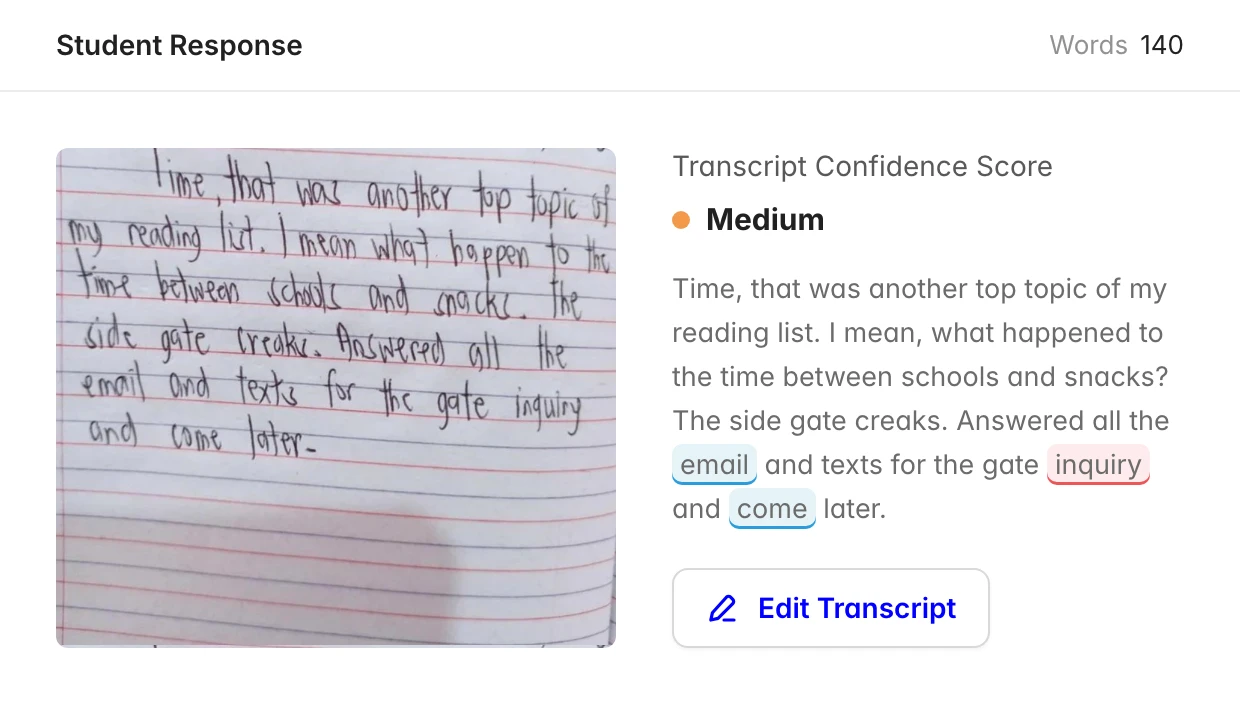
Handwriting is photographed and transcribed before it is marked. The transcript sits beside the original page with a confidence score, and the words the AI was unsure of are highlighted. A teacher can fix the transcript before the mark is worked out from it.
- Instead of
- A clean transcript that hides its doubts
- I chose
- A confidence score, with doubtful words marked
The whole class on one rubric
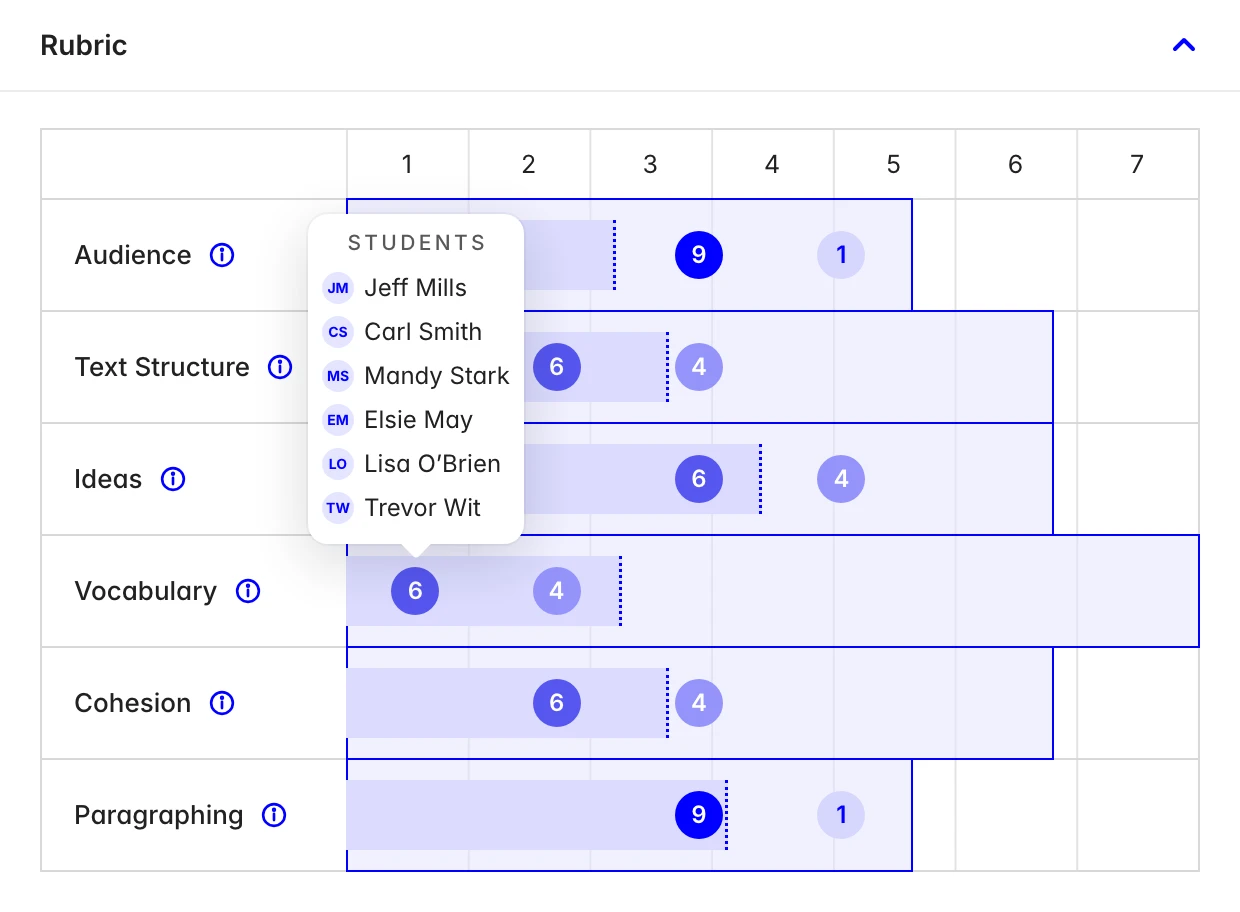
Each criterion of the rubric is a bar, with the class spread along it. A teacher can see that most of the class is strong on audience and weak on vocabulary, then hover on a score to see which students are sitting there.
- Instead of
- A score for each student in a table
- I chose
- The class spread across each criterion
Colour only where it matters
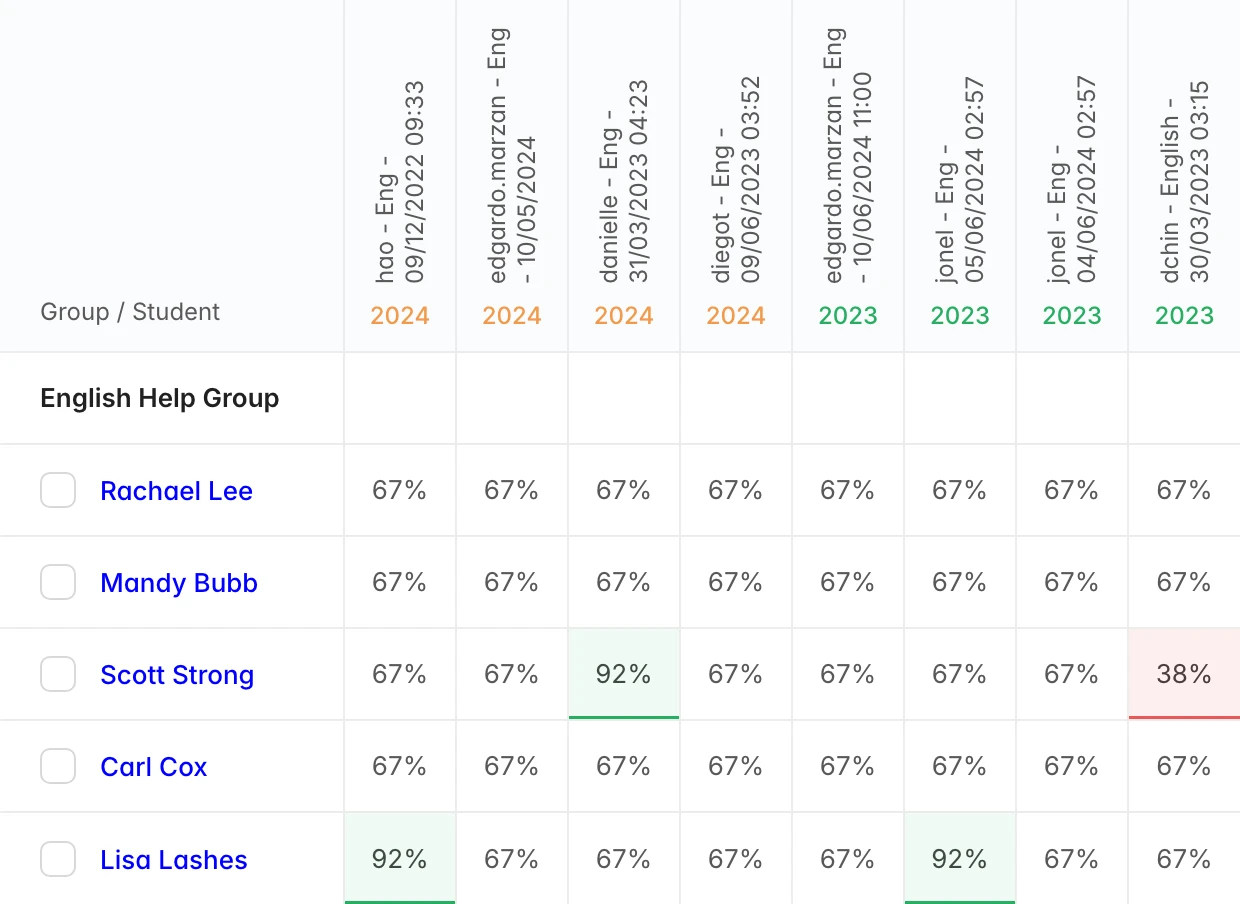
The marks book puts every test for a class in one grid. Most cells stay plain. Only the results well above or well below the rest are tinted green or red, so the students who need attention stand out without a legend.
- Instead of
- A colour on every cell
- I chose
- Plain cells, with the outliers tinted
Start with what needs doing
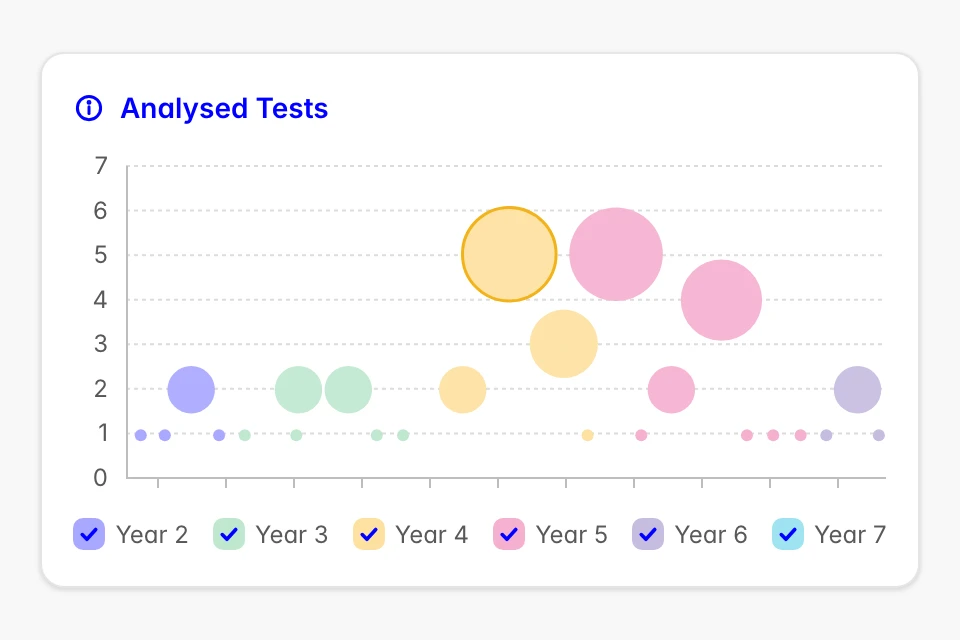
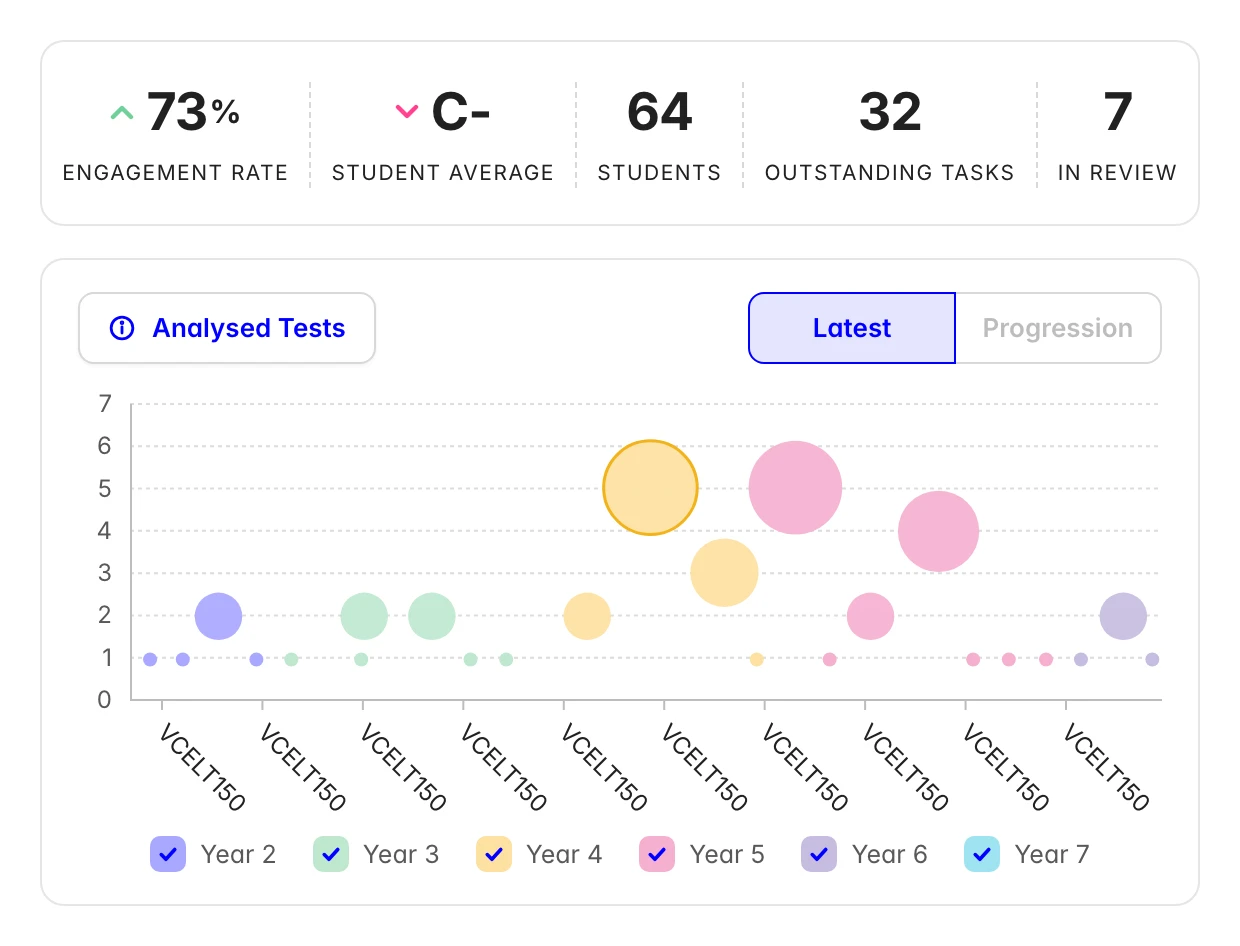
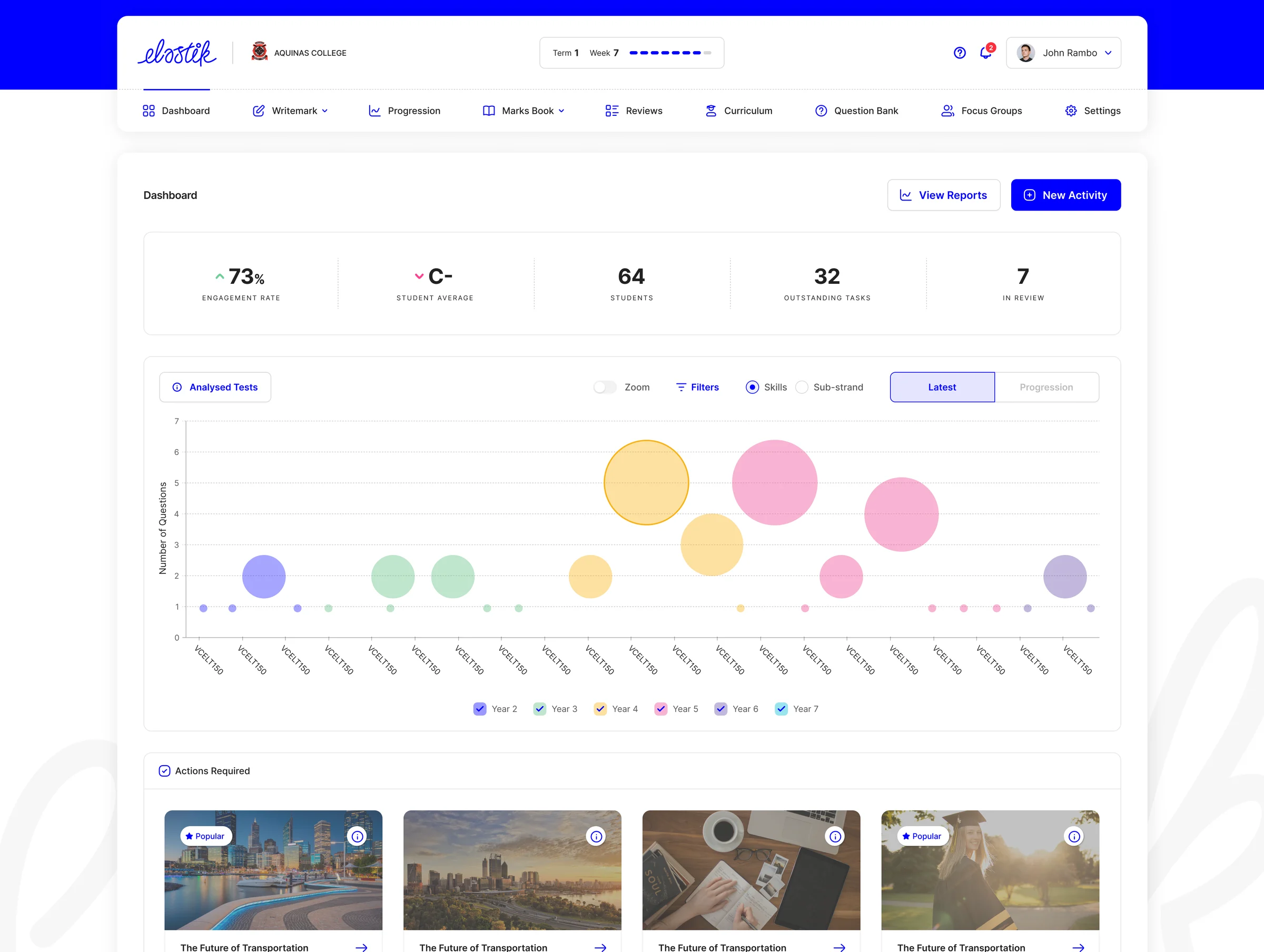
The dashboard opens on five numbers, then a chart of the tests just analysed by skill, then the actions waiting for the teacher. It answers how the class is going and what to do next before any menu is opened.
- Instead of
- A home page of feature links
- I chose
- The numbers, then the next actions


01 / 04
More of the product
The teacher dashboard in full, from the headline numbers down to the actions waiting.
Their grades were a lot higher compared to the previous year. It actually specifically targets where your kids are and what you need to teach next.
Where Elastik is now
Elastik began in Western Australia in late 2020 and opened in London in 2022. It says it now supports more than 20,000 teachers across almost every Australian state, and that Writemark supports more than 300,000 students. Faculty, the AI firm that built the marking model with Elastik, reports more than 600 schools using it across the UK and Australia.
Those numbers are Elastik's. My part is how teachers see, check and correct what the AI produces.
20,000+
Teachers supported, as reported by Elastik.
300,000+
Students on Writemark, as reported by Elastik.
600+ schools
Using the AI marking tool, as reported by Faculty.
Putting AI inside a product people already use?
The design questions are how much to automate, how to show the AI's confidence, and how people check and correct it. That is the work I do.